Your bookmarks, folders, notes, tags and saved sessions live in the browser database.
Nexamas browser product
Keep what matters. Find it again.
SmartBookmarks is a local-first bookmark and browser-session manager. Organize your library without an account, then optionally protect it with encrypted backup in your own Google Drive or OneDrive account.
Private owner testingSmartBookmarks is not yet publicly distributed. This public information page supports product transparency and OAuth review; it is not a download listing.
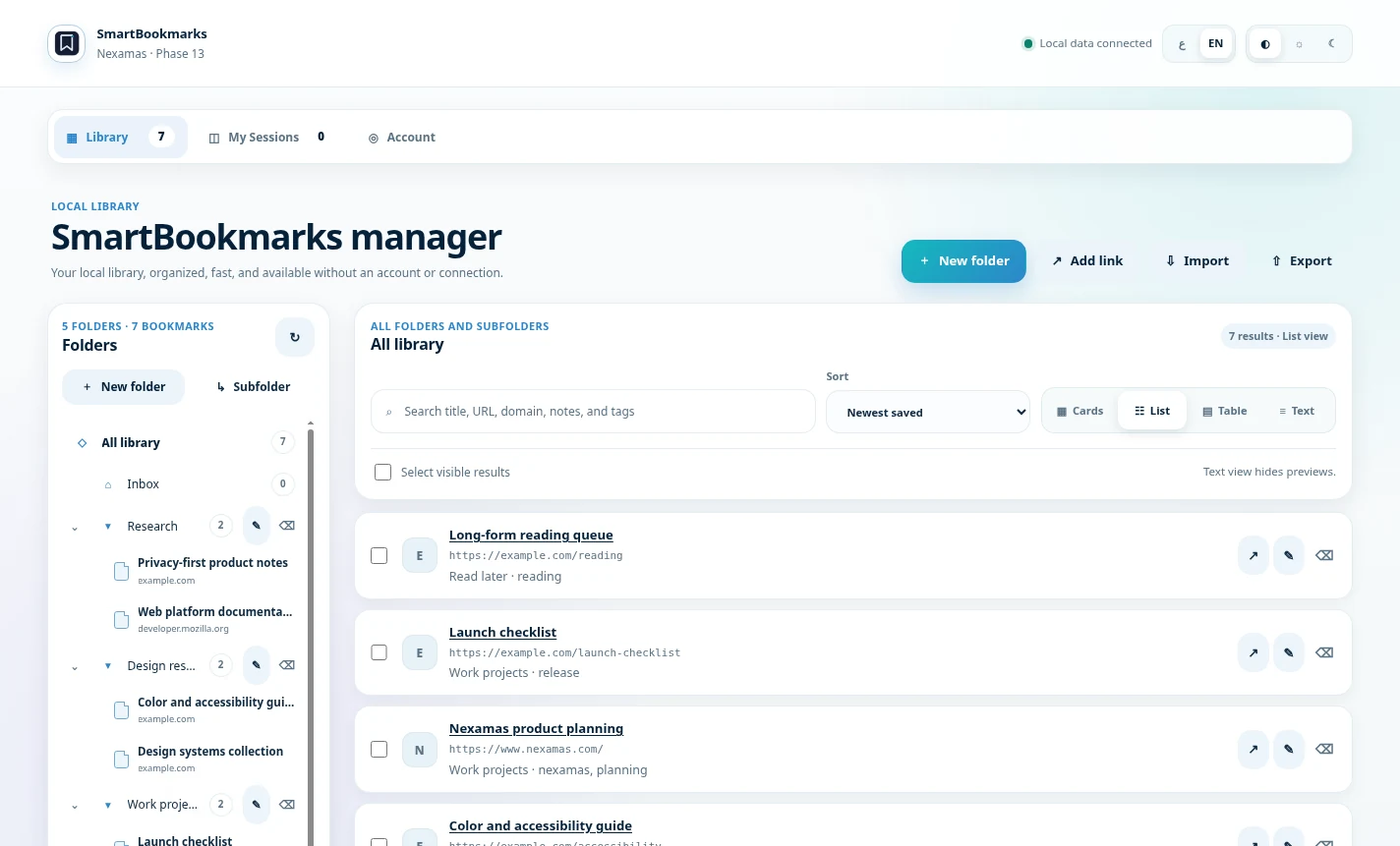
The core library works without registering or signing in.
Backup is encrypted on the device before it is uploaded to the selected cloud provider.
The encrypted vault is stored in your own Google Drive app-data space or OneDrive App Folder.
What it does
A focused library for links and sessions.
SmartBookmarks is designed for quick capture, reliable organization and recovery without turning browsing history into a server-side profile.
Save and organize
Store links in folders with titles, tags and notes, then move, search and manage them from the library.
Capture sessions
Save groups of open tabs as named browser sessions and reopen them later.
Work locally
Use the library without creating an account. The account service does not receive bookmark URLs, titles, notes or session contents.
Choose identity
Optional sign-in supports email access codes, Google or Microsoft. Identity is separate from library content.
Back up securely
Create an encrypted vault in Google Drive or OneDrive. Nexamas does not receive the Recovery Key.
Restore on a new install
After cloud discovery, an existing vault opens the restore path. A new vault cannot overwrite an undiscovered backup.
Privacy architecture
Your library is not an account database.
The Nexamas account service is deliberately limited to identity, devices, revocable sessions, short-lived sign-in challenges and abuse prevention. Bookmark content and encryption keys are excluded from the account API.
Uses the narrow drive.appdata scope for app-specific data hidden from the normal Drive interface.
Uses the application's dedicated App Folder instead of general file access.
Generated for the user and never sent to the Nexamas account service.
No advertising, sale of personal data or behavioral analytics are built into SmartBookmarks.
Common questions
Clear boundaries before access.
These answers summarize the current private-testing build. The detailed policy controls where legal precision matters.
Can SmartBookmarks be used without an account?
Yes. The core bookmark and session library is local-first. An account is needed only for optional identity and encrypted cloud backup.
Can Nexamas read the encrypted cloud vault?
The vault is encrypted on the device. The Recovery Key is not sent to the Nexamas account service. Loss of the key can therefore prevent recovery.
Does uninstalling the extension delete my account or cloud vault?
No. Uninstalling removes browser-local extension data. Account and cloud-vault deletion are separate actions described on the account-deletion page.
Is SmartBookmarks publicly available?
Not yet. The product remains in private owner testing while OAuth production readiness, release gates and final acceptance are completed.